
Jan 15, 2026
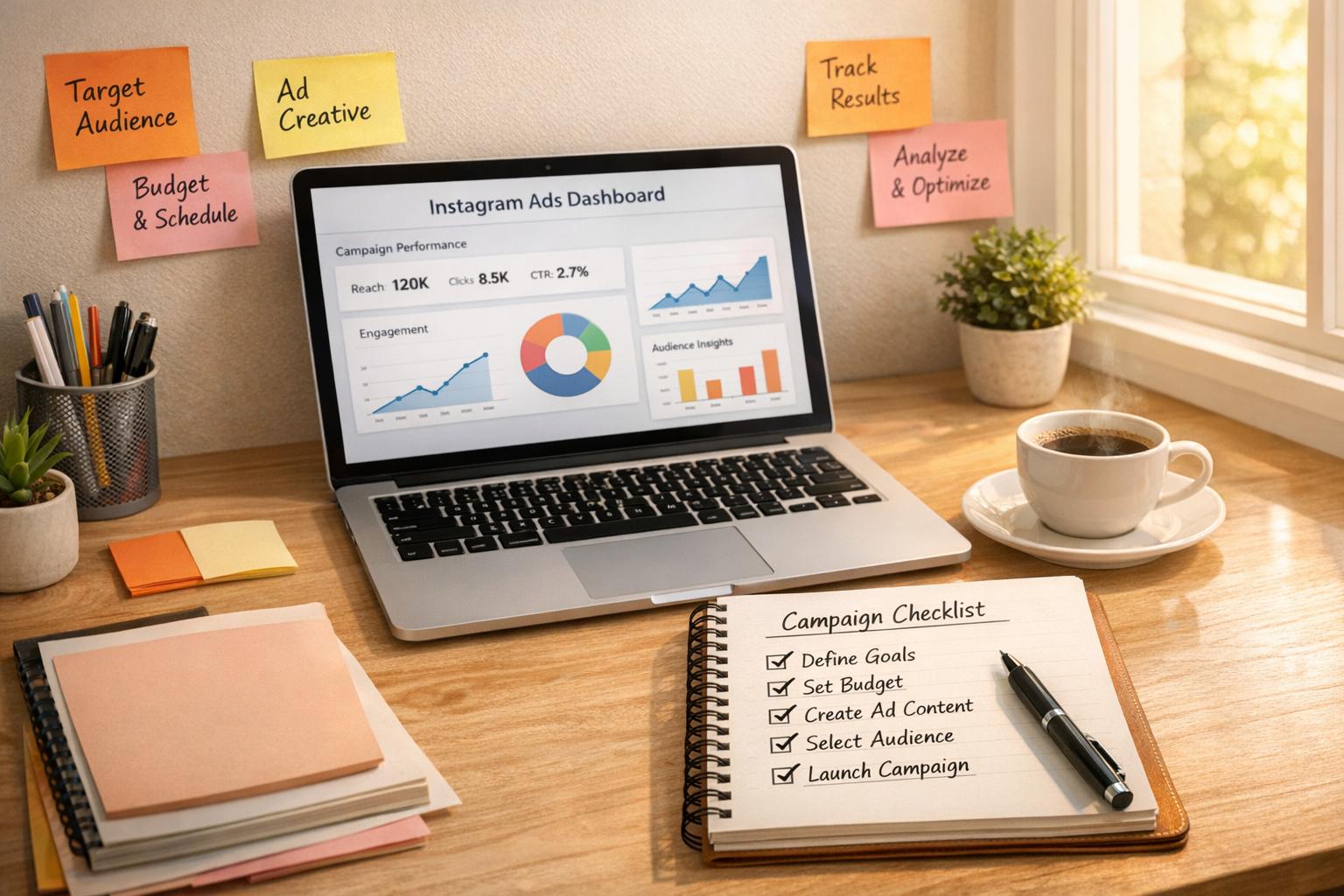
Checklist: Launching Instagram Ad Campaigns
Instagram is a powerful platform for nonprofits, with 2.4 billion monthly users and tools that help overcome its 3.5% organic reach. Ads on Instagram are affordable, with an average cost per click of $1.36 and $9.23 per lead, making them accessible even for small budgets ($100–$250/month). Here's a quick guide to launching your first campaign:
- Set Up Your Account: Switch to a business profile, connect to a Facebook Page, and set up payment and tracking tools like Meta Pixel.
- Define Goals: Choose objectives like Awareness, Traffic, or Donations, and align them with your budget.
- Prepare Content: Optimize your profile, use high-quality visuals, and write concise, engaging ad copy.
- Choose Ad Formats: Options include Carousels, Stories, Reels, and Video Ads.
- Target Your Audience: Use demographic and interest targeting, Lookalike Audiences, and retargeting strategies.
- Track Performance: Monitor metrics like CTR (0.5%–1.5%) and cost per lead, and adjust campaigns based on results.
Instagram Ads help nonprofits reach new supporters, engage donors, and boost fundraising efforts. Start small, test different strategies, and build on what works.

Instagram Ad Campaign Key Statistics for Nonprofits
Step 1: Planning and Account Setup
Set Up Your Instagram Business Profile
To get started, switch your Instagram account to a business profile. Open the Instagram mobile app, go to Settings > Account (or Settings and privacy), and select "Switch to professional account" or "Try Instagram Business Tools". Choose a category, such as "Nonprofit organization" or "Charity organization", and make sure to add your contact details.
You'll also need to connect your Instagram account to a Facebook Page. Keep in mind that you must be an admin of the Facebook Page to complete this step. Since Instagram ads are managed through Meta Ads Manager, link your Instagram account by entering your username and password in the Ads Manager settings. Don’t forget to set up a payment method (credit card or PayPal) in Meta Business settings and verify your domain for added brand safety. As Nonprofit Tech for Good explains:
To get access to Insights, to post ads, set up a Shop, and use Instagram Fundraising Tools, your nonprofit must have an Instagram Business Account.
Once your account is ready, it’s time to define your campaign objectives.
Define Your Campaign Goals
Your goals should align with Meta's six primary objectives: Awareness, Traffic, Engagement, Leads, Sales, and App Promotion. Each objective should connect to a specific conversion point, like your website, a messaging app, or your Instagram profile. If you're new to Instagram advertising, focus on awareness-based goals first - such as increasing your reach by 20% - before tackling higher-intent goals like generating donations or collecting leads. Tools like Meta Pixel or UTM parameters can help you track ad clicks and monitor actions on your website, such as completed donations or newsletter sign-ups.
After setting your goals, it’s essential to establish a budget that aligns with them.
Set Your Budget
When it comes to budgeting, you have two options: a Daily Budget, where spending is spread evenly each day, or a Lifetime Budget, which allocates funds over the entire campaign duration. Instagram uses an ad auction system to determine placements, factoring in your bid amount, the quality of your ad, and its relevance to your audience. For cost efficiency, you can select Automatic Bidding, or opt for Manual Bidding to set a fixed price for specific actions.
Nonprofits are advised to allocate $100–$250 per month specifically for Instagram ads. To save on fees, boost posts through a web browser instead of using Apple devices, as this avoids Apple’s 30% fee.
Step 2: Profile and Content Preparation
Update Your Instagram Profile
After setting up your Instagram account, the next step is refining your profile and visuals to align with your campaign's goals. Remember, your profile is often the first impression users get when they click on your ad. Use your organization's logo and keep text minimal to ensure it looks clean and clear on mobile devices.
Make the most of your profile name - the 30-character field at the top of your profile. Since this section is searchable, include relevant keywords alongside your organization's name. For example, instead of just "Hope Foundation", try something like "Hope Foundation | Clean Water" to improve discoverability. Use your 150-character bio to communicate your mission clearly. Add a few well-placed emojis for a touch of personality, and wrap it up with a strong call-to-action that drives users to your link.
As Altos Agency explains:
"Your Instagram profile title is searchable. Think about adding relevant keywords, not just your brand name, to this section to grab some extra profile impressions."
To further optimize your profile, consider using a "link in bio" tool like Linktree, Buffer, or Later. These tools let you create a landing page with multiple links, such as donation pages, volunteer sign-ups, or current campaigns. You can also enhance your profile by adding contact buttons like "Call", "Email", or "Donate" through Instagram's business profile features. Additionally, use Story Highlights with custom covers to showcase your organization's best work.
Once your profile is polished, it’s time to focus on creating engaging visual content that supports your ad.
Prepare Visual Content
With your profile updated, it’s crucial to focus on visuals that grab attention and tell your story effectively. Use a mix of product photos, graphics, and lifestyle shots to keep your content dynamic, and aim for consistent design to strengthen your brand identity. Instagram carousel posts, for example, are ideal for storytelling or highlighting multiple aspects of your work, boasting the highest engagement rate at 0.66%. Meanwhile, Reels are fantastic for reaching new audiences, with an average reach rate of 30.8%.
Always design your content with mobile users in mind. Use high-resolution images - at least 1,080 x 1,080 pixels for square posts and 1,080 x 1,920 pixels for Stories and Reels. Since about 70% of users watch videos without sound, include closed captions, subtitles, or text overlays to ensure your message is clear even without audio. Including faces in your visuals can also make a big difference, as posts featuring people receive 38% more likes. Highlight real individuals - whether they’re staff, volunteers, or beneficiaries - to create a personal connection.
As Brandwatch's Sabrina Dorronsoro puts it:
"They say a picture is worth a thousand words, but in the world of Instagram ads, it's worth a thousand opportunities."
Write Your Ad Copy
With your profile and visuals ready, the final step is crafting ad copy that reinforces your message and drives action. Keep the focus on the first 125 characters, as this is what appears before the "more" link. Instead of listing program features, emphasize the benefits for your supporters or the communities you’re helping.
Use 3–5 relevant hashtags, as posts with three hashtags have an average engagement rate of 3.4%. Avoid using more than 10 hashtags, as it can look spammy. Sprinkle in emojis strategically to break up text and draw attention to your call-to-action. Tagging corporate sponsors or partners is another smart move to strengthen those relationships.
Lastly, enhance your visuals with text overlays that highlight your key message or offer. This ensures that even if users don’t read the full caption, they’ll still get the most important information at a glance.
Step 3: Selecting Ad Formats
Choose Your Ad Format
Picking the right ad format is key to hitting your campaign goals and driving conversions. Here’s a breakdown of popular options and when to use them:
- Carousel ads: These are excellent for engagement, boasting a 0.66% engagement rate - higher than single photos (0.51%) or Reels (0.41%). Carousels let you share a story across multiple slides, making them perfect for "before and after" visuals or showcasing various programs your nonprofit supports.
- Video ads: Videos are a powerful tool for storytelling and building emotional connections, generating 38% higher engagement than static images. Keep videos under 60 seconds, grab attention in the first three seconds, and always include captions since many users watch without sound.
- Reels ads: If you’re targeting younger audiences like Gen Z and Millennials, Reels are your go-to. These short-form, feed-friendly ads work best when they feel authentic and unpolished, as this demographic values relatable content.
- Story ads: Ideal for time-sensitive campaigns or retargeting, Story ads tap into Instagram’s massive daily audience - 70% of users watch Stories every day. Add interactive elements like polls or countdown stickers to drive engagement and create urgency.
- Partnership ads: Collaborating with influencers or "impact creators"? Partnership ads, which appear on both your handle and the creator's, can build trust and lower costs while boosting click-through rates by 53%. This is especially effective for reaching Gen Z, as 1 in 4 participants in this group say they’re motivated to donate by social media creators.
Once you’ve chosen your format, make sure your ad design includes a strong call-to-action that guides viewers to take the next step.
Set Your Call-to-Action
Your call-to-action (CTA) button is the bridge between your ad and your campaign goal. The right CTA depends on what you want your audience to do:
- Use "Donate Now" for direct fundraising.
- Choose "Learn More" to educate potential supporters about your work.
- Opt for "Sign Up" when looking for volunteers or event participants.
Think about where your audience is in their journey with your organization. New viewers may need a softer ask, like “Learn More,” while existing supporters might respond better to a direct “Donate Now” button.
A clear and action-oriented CTA can significantly impact conversions. Instagram ads typically see click-through rates between 0.5% and 1.5%, so it’s worth testing different CTAs to see what resonates most with your audience. And don’t forget - your CTA should align with the destination you’re directing people to, whether it’s a donation page, an event sign-up, or an educational resource.
Step 4: Audience Targeting
Configure Demographic and Interest Targeting
Once your ad visuals and copy are ready, the next step is targeting the right audience - this is what makes or breaks a campaign. Start by defining your ideal supporter. Think about their age, location, and interests, and use Meta's tools to refine your audience. Key traits like age, geographic area, and the causes they care about will guide your setup.
In Meta Ads Manager, begin by setting basic demographics. You can narrow down by location (even down to a specific zip code or congressional district), age range (13 to 65+), and gender. Then, dive into detailed targeting options, which cover:
- Demographics: Education level, job titles, or life events like upcoming birthdays.
- Interests: Hobbies, organizations they follow, or specific causes.
- Behaviors: Travel habits, shopping patterns, or even device usage.
Pro tip: Use the search bar instead of browsing the dropdown menu for interests. This often reveals more specific subcategories, helping you reach niche groups.
To keep your budget focused, use the "Exclude" feature to filter out people who’ve already donated or signed up for your newsletter. You can also refine your audience further with "AND" logic, ensuring users meet multiple criteria. For example, you might target people who are passionate about animal welfare and live within 25 miles of your shelter.
Keep an eye on the audience definition gauge in Ads Manager. If your audience is too broad, you risk wasting money; too narrow, and you may limit your reach. It’s worth noting that 76% of social media users say ads have influenced their decisions in the past six months, and for Gen Z, that number jumps to 90%. Getting your targeting just right can make a world of difference.
Create Lookalike Audiences
Once you’ve built a solid base of supporters, lookalike audiences can help you find even more people like them. Meta uses your "source" audience, such as your top 1,000 donors or most engaged email subscribers, to locate new users with similar traits and behaviors. Ideally, your source audience should include 1,000 to 5,000 individuals for the best results.
When setting up a lookalike audience, you can adjust the similarity percentage from 1% to 10%. Start with 1% for the most precise match to your current supporters. If you’re aiming for a broader reach, such as during a large-scale awareness campaign, you can increase the percentage. According to Bastion Agency:
Lookalike Audiences are a powerful way to scale your Instagram advertising targeting without sacrificing relevance or wasting ad spend.
With the average cost per lead on Instagram sitting at $9.23, every dollar counts. If you’re using Meta’s Advantage+ Audience tool, which uses AI to identify potential supporters, provide suggestions like interests tied to your cause to guide the algorithm. Anna Fedorenko, a PPC specialist at Netpeak, explains:
Advantage+ audience improves the effectiveness of advertising campaigns... [providing] a reduction of 28% in average cost per click, lead, or landing page view.
These strategies will set you up for success as you move into retargeting.
Set Up Retargeting Campaigns
Retargeting is your chance to reconnect with people who’ve already shown interest but haven’t taken the next step. This could include website visitors, users who’ve watched your videos, or even those who’ve engaged with your Instagram posts.
To get started, install Meta Pixel on your website and upload CRM email lists to build custom retargeting audiences. Meta Pixel tracks visitors to key pages, like your donation form or volunteer sign-up page. You can also create segments based on Instagram engagement, such as users who’ve watched at least 50% of your fundraising video. These engaged users are prime candidates for ads with a direct call-to-action, like a donation request. Just make sure to exclude previous converters to avoid wasting your budget.
With 29% of consumers making purchases directly on Instagram and click-through rates ranging from 0.5% to 1.5%, retargeting can turn interested viewers into active supporters. To maximize impact, design your retargeting ads with captions or text overlays - many users watch videos without sound, especially on Reels and Stories.
sbb-itb-deea482
Step 5: Launching and Tracking Your Campaign
Review Campaign Settings
Before hitting "publish", take a moment to review all your campaign settings. Start by checking your ad placements. If you're targeting Instagram exclusively, switch to "Manual Placements" in Meta Ads Manager and uncheck all options except Instagram Feed, Stories, Reels, and Explore. This ensures your budget won't accidentally spill over to Facebook or other platforms.
Next, confirm your tracking setup. Make sure the Meta Pixel is active on your website and that you're using unique tracking URLs with UTM parameters to monitor traffic and performance in your analytics software. Double-check your budget and scheduling details - you can set precise start and end times, down to the minute. For ad creatives, ensure they meet Instagram's specifications: square posts should be 1080x1080 pixels, Stories should be 1080x1920 pixels, and captions should stay under 125 characters.
When launching your ads, avoid using the iOS app - it adds a 30% Apple service fee that eats into your budget. Instead, stick to the web interface. To stay organized, use a consistent naming system for your campaigns, such as "Department | Offer | Date | Creator", so you can easily manage everything in Ads Manager.
Once your settings are locked in, shift your attention to tracking how your campaign performs.
Track Campaign Performance
With your tracking tools in place - like Meta Pixel and UTM parameters - monitor your campaign daily to ensure everything runs smoothly. For quick insights, you can use the Instagram Professional Dashboard on mobile (navigate to "Ad Tools" and tap "View Insights"). For a more detailed analysis, head to Meta Ads Manager on desktop.
Focus on metrics that align with your goals. For example, a good click-through rate (CTR) for Instagram ads typically ranges from 0.5% to 1.5%. If conversions are your priority, track your cost per lead, which averages around $9.23. Customize the performance columns in Ads Manager to spotlight key metrics like "Adds to Cart" or "Cost per Result". Keep an eye on your Ad Relevance Score - higher scores mean better placements and lower costs in the ad auction.
Here’s a quick guide to the metrics you should monitor:
| Metric Category | Key Data Points to Track |
|---|---|
| Performance | Reach, Impressions, Frequency, Amount Spent |
| Engagement | Post Likes, Comments, Shares, Saves |
| Video | Video Views, Average % of Video Viewed |
| Conversions | Website Checkouts, Adds to Cart, App Installs |
| Efficiency | CPC (Cost per Click), CTR (Click-Through Rate), CPM (Cost per 1,000 Impressions) |
Don’t forget to monitor social interactions. Check for comments on your ads and respond quickly - engaging with your audience can boost your campaign's overall effectiveness. Tools like a "Smart Inbox" or Ads Manager's comment monitoring features can help you stay on top of this.
Test Different Variations
Use performance data to refine your ads by testing different variations. Meta Ads Manager makes this simple with its "A/B test" toggle, which lets you automatically compare different ad elements. Experiment with various components: images vs. video, short vs. long captions, call-to-action buttons, and even different audience segments.
Give your tests at least one to two weeks to allow Meta's algorithm to optimize and provide reliable data. Since over 68% of people watch engagement videos with the sound off (and 77% for conversion-focused videos), try adding text overlays or captions to your video ads.
You can also experiment with different ad formats. Carousels are great for storytelling, Reels often boost engagement, and Collection ads work well for showcasing multiple products or services. Consider testing user-generated content alongside polished brand visuals - authenticity often resonates more with viewers.
Stick to the visual and CTA guidelines you've already set. According to Meta, incorporating partnership ads into your strategy can lower your cost per action by 19% and drive 53% higher click-through rates. Even small adjustments can make a big difference, so keep testing to discover what resonates most with your audience.
Step 6: Reviewing Results and Next Steps
Review Campaign Data
Once your campaign is up and running, it's time to dive into the data and see how it performed. Look at metrics like reach, impressions, engagement (likes, comments, shares, saves), and conversion rates (donations, sign-ups) to get a clear picture of what worked and what didn’t. Efficiency metrics like Cost Per Click (CPC) and Cost Per Thousand Impressions (CPM) will help you understand how far your budget went.
Pay special attention to conversion and fundraising numbers. Monitor website donations, email sign-ups, and app installs to gauge direct results. To assess your return on investment, calculate your Cost Per Dollar Raised (CPDR) and the average donation amount. Owen Finegan, CEO of The Kids' Cancer Project, sums it up perfectly:
Analytics gives us the insight to know whether we need to go wider or tighter in our donor communication. Every dollar we raise means more money channeled to fighting childhood cancers, finding less intensive treatments and finding a cure.
For CPC, aim for a range between $0.01 and $0.25, while CPM should generally stay between $0.01 and $4.00. If your costs are much higher, it might be time to tweak your targeting or rethink your ad creative. Break down your results by demographics like age, gender, and location, and use UTM parameters to confirm that clicks are leading to actual page views. For video ads, check the "Average Percent of Video Viewed" to identify where viewers lose interest. On Instagram, a conversion rate of 1% to 2% is a good benchmark.
The insights you gather here are invaluable - they’ll shape your future campaigns and help you improve your fundraising efforts step by step.
Apply Insights to Your Fundraising Plan
Use what you’ve learned from the data to fine-tune your approach. If you notice certain demographic groups delivered the best results at the lowest cost, focus on those audiences in future campaigns. A/B testing can also reveal what resonates most - did lifestyle images outperform close-ups? Did Reels reach more people than static posts? Adjust your content strategy based on these findings.
When scaling your successful ads, do it gradually. For example, increase your daily budget from $10 to $20 instead of making large jumps. This gives Meta's algorithm time to adapt and keeps your campaign performance stable. Revisit your campaign objectives every one to three months to ensure they’re still aligned with your overall fundraising goals. If you find that Instagram’s native fundraising tools brought in 12% of your donors - and 83% of those donors are likely to give again - consider allocating more resources to those features. Use full-funnel tracking to connect Instagram ad performance with long-term donor retention and lifetime value.
Thank Your Supporters
Don’t forget to show your gratitude to everyone who engaged with your campaign. A quick "thank you" in response to comments can go a long way in building supporter loyalty. Tagging corporate sponsors and partners in follow-up posts not only acknowledges their support but also strengthens those relationships.
To streamline responses, take advantage of tools like Meta Business Suite or a Smart Inbox, which allow you to manage Instagram and Facebook interactions in one place. Keep the momentum alive by encouraging followers to create their own Instagram Fundraisers. Make it easy by including step-by-step instructions in captions. Since 76% of social media users say online content has influenced their spending decisions in the past six months, your thank-you posts could inspire future donations as well.
You might also consider running partnership ads with influencers or supporters who contributed content to your campaign. These ads can lower your cost per action by 19% and boost click-through rates by 53%, all while reinforcing your message of gratitude. Posting consistently - two to four times a week - keeps your organization visible without overburdening your team. By recognizing your supporters, you not only strengthen your community but also lay the groundwork for your next campaign.
Top 3 Secrets Nonprofits Use for Successful Social Media Ads
Conclusion
Running a successful Instagram ad campaign takes more than just hitting "publish." It starts with setting up your account properly, defining clear goals, creating eye-catching visuals, and targeting the right audience. With Instagram's organic reach averaging only 3.5%, nonprofits need to invest in ads to stay visible and connect with their supporters effectively.
But planning and launching your campaign is just the beginning. The real work lies in monitoring and fine-tuning it. Regularly reviewing metrics like Cost Per Click (CPC), Cost Per Lead (CPL), and conversion rates can help you see what’s working and tweak what isn’t. As HubSpot’s Ellen Bartolino wisely notes:
"To get the most bang for your buck, it's essential to set up your ad campaigns correctly - and optimize them even after you click 'Publish.'"
Instagram advertising is a continuous process. To stay ahead, you’ll need to experiment with different ad formats, refine your targeting, and adjust your budget based on performance. Considering that 12% of online donors have already contributed through Instagram Fundraising Tools - and 83% of them are likely to donate again - the platform offers nonprofits a powerful opportunity to engage donors and grow their impact.
For more personalized support in crafting effective Instagram ad campaigns, check out Share Services (https://shareservices.co). Their expertise in nonprofit marketing strategies can help you connect with your audience and achieve meaningful results.
FAQs
What’s the best way for nonprofits to measure the success of their Instagram ad campaigns?
To understand how well your Instagram ad campaigns are performing, start by focusing on key metrics that tie directly to your nonprofit’s goals. One critical metric is the engagement rate, which is calculated by dividing the total likes, comments, shares, saves, and video views by the total impressions. This gives you a sense of how much your audience is interacting with your content. Another important measure is the click-through rate (CTR), which is the number of ad clicks divided by total impressions. This tells you how effective your ad is at driving traffic to your website.
After people click on your ad, it’s essential to track the conversion rate - the percentage of visitors who take actions like donating, signing up, or subscribing. To assess the financial side of your campaigns, look at metrics like cost-per-conversion (ad spend divided by conversions) and return on investment (ROI), which compares the total revenue or support generated to your ad spend.
To make tracking easier, consider using analytics dashboards. These tools can help you consolidate data, pinpoint underperforming ads, and compare results over time. Services like Share Services offer tailored solutions to set up tracking, provide performance insights, and fine-tune campaigns. This can help your nonprofit engage donors more effectively and better support your mission.
What are the best strategies for targeting the right audience with Instagram ads?
To connect with your audience through Instagram ads, start by defining your ideal supporter persona. Think about factors like their age, gender, location, interests, and the causes they’re passionate about. Instagram’s saved audience tools make it easy to apply these filters, while custom audiences let you target people already familiar with your nonprofit - such as past donors, email subscribers, or website visitors.
If you’re looking to expand your reach, try creating look-alike audiences to find users similar to your current supporters, or use value-based audiences to zero in on those who resemble your most generous donors. You can fine-tune your targeting further by adding filters for behaviors, language preferences, or even connections to your Facebook page. A good rule of thumb? Aim for audience sizes between 500,000 and 2 million per ad set. This strikes the right balance between precision and giving Instagram’s algorithm enough data to work with.
Once your ads are up and running, it’s time to test and refine. Experiment with multiple ad sets targeting slightly different groups - like younger supporters versus long-time donors - and keep an eye on key metrics like cost-per-action and conversion rates. Use these insights to adjust your strategy: exclude groups that aren’t performing well and focus your budget on the segments that deliver the best results. This approach helps you get the most impact and value from your campaign.
How can nonprofits determine the right budget for Instagram ad campaigns?
Nonprofits should kick off by syncing their ad budget with clear objectives - whether that's attracting donors, promoting events, or building awareness. A general guideline is to allocate 5%–10% of the yearly fundraising budget to paid social media efforts. Once that's set, consider a 70/30 split: dedicate 70% of the budget to planned campaigns and keep 30% as a flexible reserve for testing or amplifying ads that perform well.
When it comes to managing the budget, you can choose between a daily budget (great for short-term goals) or a lifetime budget (better suited for longer campaigns that require steady pacing). To get a sense of what works, nonprofits can run a small test - try spending $50–$100 per day for one week. This allows you to measure crucial metrics like cost per click (CPC) or return on ad spend (ROAS) before committing to a larger campaign.
For organizations dealing with variable budgets, teaming up with a partner like Share Services can make things easier. They specialize in turning fundraising goals into actionable ad budgets, staying flexible, and fine-tuning campaigns to get the most out of every dollar - all while keeping financial constraints in check.
Related Blog Posts
Get helpful resources, straight to your inbox
We love sharing tools, ideas, and stories that make nonprofit work a little lighter and a lot more effective. Sign up below and we’ll send you practical tips, free resources, and a bit of encouragement—because the work you’re doing matters.
No spam. Just good stuff for good people.