
Mar 4, 2026
Best Practices for CRM Integration in Fundraising
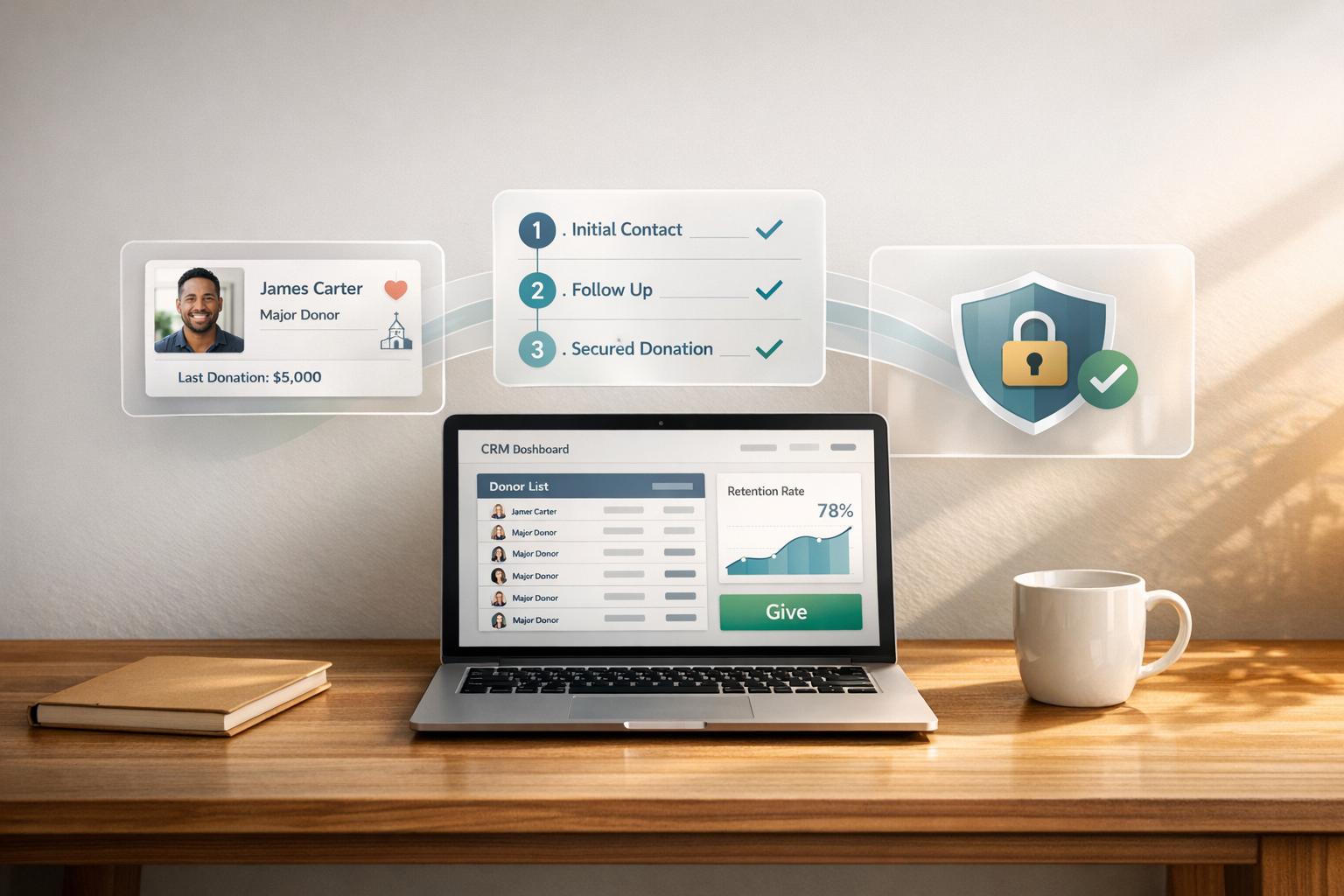
Faith-based nonprofits face unique challenges in managing donor relationships and ministry activities. Disconnected systems and data silos often lead to inefficiencies, making it harder to nurture supporters and track engagement. Here's the key takeaway: integrating a CRM system can streamline operations, improve donor retention, and help organizations focus on their mission.
Key Insights:
- Donor Retention Matters: 80% of first-time donors stop giving, but improving retention by 10% can lead to a 200% increase in long-term giving.
- Unified Data is Critical: A CRM provides a 360-degree view of supporters, merging fragmented records across donation platforms, events, and ministry activities.
- Automation Saves Time: Automating tasks like thank-you notes and data syncs reduces manual work, allowing staff to focus on meaningful donor interactions.
- Security is Essential: Protect donor data with encryption, access controls, and compliance with laws like GDPR and CCPA.
- Leadership and Change Management: Success depends on leadership commitment, clean data, and staff training.
Common CRM Integration Challenges for Faith-Based Nonprofits
Data Silos and Inconsistent Donor Records
Faith-based organizations often juggle between 4 and 12 different platforms - ranging from major CRM systems to tools for events, email marketing, and project management. This creates a fragmented picture of supporters. For example, the same person might appear as three separate entities: an anonymous visitor in web analytics, an event attendee, and a first-time donor in the fundraising system.
"When you examine web analytics alone, you get a highly focused but limited view of user behavior during individual sessions. When you look at just your CRM data, you see the broad, long-term relationship but miss the nuanced digital journey that led to engagement."
- Steven Bond, Vice President of Strategy at Forum One
Adding to the complexity, faith-specific data - like tithing records, small group participation, or pastoral care notes - often lives in spreadsheets, email tools, or outdated systems. This limits an organization’s ability to fully understand member relationships.
"Most often, we see this information residing in data silos: spreadsheets, email tools and legacy systems that can't fully report or capture the lifecycle of your members or accurately reflect the relationship you have with your congregants."
Inconsistent data entry further complicates reporting. For instance, one donor might be listed with a phone number formatted as "456-7890" in one system and "123-456-7890" in another, making it nearly impossible to generate accurate reports.
Limited Technical Expertise and Resources
While 91% of companies with 10 or more employees use CRM software, small ministry teams often lack the technical know-how to implement or maintain these systems. Manual data exports and imports between platforms not only increase the workload but also raise the risk of errors, pulling staff away from their primary responsibilities.
"Antiquated software can leave staff discouraged. Moreover, Excel has been called 'the worst CRM system in the world' - do you really want to expose your workers to this, with technology being a primary reason people quit their jobs?"
- Luke Dringoli, Senior Marketing Technology Director at Media Cause
The problem worsens when the few staff members who understand the technical setup leave the organization. This creates knowledge gaps and makes systems fragile.
"In such a competitive landscape, nonprofits frequently struggle to hire and retain staff with these capabilities, leading to knowledge loss and system fragility when specialized staff leave."
- Steven Bond
Without proper systems in place, 25% of nonprofits fail to measure their program impact. Additionally, unexpected costs - like user licenses, data storage fees, and third-party integrations - can quickly add up, straining already tight budgets.
Disjointed Donor Experiences
Disconnected systems don’t just affect internal processes - they’re noticeable to donors too. Research shows that 22% of nonprofit leaders cite data silos as a major barrier to donor engagement. For example, if a donation platform doesn’t sync with an email system, donors might not receive timely thank-you messages, leaving them feeling unappreciated.
When different departments, like marketing and finance, operate separately, they risk sending mixed messages or duplicating outreach efforts. This fragmented approach can make supporters feel disconnected from the organization.
"Real-time access to rich partner data provides our staff with a better overall understanding of who that person is, which in turn allows us to truly personalize our contact with them, whether it's email, mail, a call, or a note."
- Sheryl Root, Partner Database Manager at OneHope
"From your supporter's perspective, your organization is a single entity. Whether they're reading your email newsletter... or making a donation, they expect continuity and recognition."
- Steven Bond
These challenges highlight the importance of integrating CRM systems effectively to create a seamless and engaging donor experience.
sbb-itb-deea482
Preparing for CRM Integration: Assessing Your Organization's Readiness
Evaluating Leadership Commitment and Vision
Getting leadership fully on board is a critical first step in any CRM integration. This isn't just an IT upgrade - it's a strategic move that should align with your organization's mission and impact every department. Leaders need to set clear, mission-driven goals to justify the investment, factoring in hidden costs like staff training, process updates, and change management. Breaking down departmental silos is equally important, especially when consolidating donor data into a single, reliable system. Framing the CRM's benefits in terms of mission outcomes - like identifying major donors or improving donor relationships - can also help secure Board approval.
"A successful nonprofit CRM rollout must be treated as a strategic business initiative, not just an IT project."
- Mark Becker, Founder, Cathexis Partners
"Transitioning business processes exactly as they exist today is a missed opportunity. When you invest in technology transformation, build for the future."
Once leadership is aligned, the next focus should be on ensuring your data and systems are ready for the transition.
Analyzing Existing Data and Systems
Before migrating to a new CRM, take a thorough inventory of all platforms, spreadsheets, and databases that house donor, volunteer, or program data. This includes tools like accounting software, email platforms, and even manual spreadsheets. Conduct a detailed data audit to clean up duplicates, fill in missing information, and standardize formats.
Identify which system contains the most accurate and up-to-date records - this will serve as your "source of truth" and guide your migration priorities. Avoid transferring outdated or irrelevant data, as this could lead to unnecessary costs or risks. Establish clear data entry protocols, such as naming conventions, consistent date formats (MM/DD/YYYY), and standardized phone number styles, to maintain data quality going forward. Additionally, document the technical specifications of your current systems, including software versions, API capabilities, and export options like clean CSV files.
Understanding Change Management Needs
With only 30% of organizational transformations succeeding, effective change management is essential. Start by conducting a SWOT analysis and gathering staff feedback through surveys to assess readiness. Pay attention to team members who might resist the changes - understanding their concerns early allows you to provide targeted support.
"Change management only works when everyone feels supported, so avoid criticizing anyone who's anxious about upcoming changes."
Involve your team throughout the process - not just during the final training sessions. When staff understand why changes are happening, they're more likely to embrace the new system. Create role-specific training tailored to daily tasks, whether it's managing major gifts, coordinating volunteers, or planning events. Designate "peer champions" who can act as in-house advocates and provide hands-on assistance during the transition. Also, communicate early about any planned system downtime during the cutover period, and provide temporary workarounds, such as logging gifts in Excel for later import.
A strong change management plan, combined with clean data and leadership support, sets the stage for a smooth CRM integration. These steps address common challenges, like inconsistent data and scattered donor records, ensuring your organization is ready for the next phase.
Best Practices for CRM Integration
Choosing the Right CRM and Fundraising Tools
Faith-based nonprofits have unique needs when it comes to CRM systems. These tools should go beyond basic donor tracking, offering features that support tithing, ministry participation, and key community milestones. For example, tracking life events like baptisms, weddings, or small group involvement can help deepen relationships within your congregation.
It's also important to choose a CRM that grows with your organization. Look for systems that handle increasing donor records and support open APIs. This allows seamless integration with tools like digital giving platforms, payment processors, email systems, and accounting software. Mobile accessibility is another must-have, enabling staff and volunteers to update donor or congregant data anytime, anywhere.
"A CRM doesn't just store data - it empowers ministry and mission."
- Galvin Technologies
When selecting a CRM, involve key stakeholders across your organization - development, finance, and ministry teams - right from the start. This collaborative approach ensures the system meets everyone's needs. Also, prioritize vendors that offer diverse training options, such as webinars, hands-on workshops, and recorded tutorials, and have experience working with nonprofits.
Once you've chosen the right CRM, the next step is to simplify processes through automation.
Automating Data Sync and Workflows
Automation is a game-changer for CRMs, especially when it comes to syncing data. Connect donation records, event participation, and email communications directly to your CRM. This reduces manual errors and ensures you have a single, accurate source of information - a critical factor for engaging donors effectively. Automation can also trigger thank-you emails, follow-ups, and even suppression rules to avoid over-communicating.
Here's a real-world example: In December 2025, Mercy Ships UK used Altrata's intelligence tools to enhance their CRM data. They discovered around 300 previously hidden high-capacity donors. One of these donors, contributing just £5/month, was found to have an estimated net worth of £85M. This insight allowed them to completely rethink their donor cultivation strategy.
"Automation turns integration from functional to transformative... allowing data to move seamlessly between systems, powering real-time personalization and efficiency."
- Mark Becker, Founder, Cathexis Partners
By automating repetitive tasks, your staff can focus on meaningful donor interactions. However, automation isn't a "set-it-and-forget-it" solution. Regular audits are crucial to catch and merge duplicate records that might slip through automated processes.
While automation improves efficiency, it's equally important to ensure donor data is managed securely.
Ensuring Secure and Compliant Data Management
Safeguarding donor data is both a legal obligation and an ethical priority. Compliance with regulations like GDPR, CCPA, CAN-SPAM, and IRS rules requires robust measures, including data encryption, multi-factor authentication (MFA), and regular security audits. Role-based access should also be enforced to limit who can view or edit sensitive information.
Standardizing data formats - such as dates (MM/DD/YYYY), currency ($), and phone numbers - before integration is essential for accurate processing. Always back up your database before cleaning or migrating data. Additionally, use explicit opt-in mechanisms and donor preference centers, allowing individuals to control how their data is used. Before going live, test your integration with a sample of 100–200 records, covering a variety of scenarios like major donors, volunteers, and inactive contacts, to identify potential issues.
| Security Standard | Purpose for Nonprofits |
|---|---|
| PCI DSS | Protects credit card and ACH transaction data |
| SOC 2 | Ensures security, confidentiality, and privacy of customer data |
| ISO 27001 | Provides a globally recognized framework for information security management |
Strong data management practices not only keep you compliant but also build trust with your donors - an essential element for long-term relationships. Documenting standard operating procedures (SOPs) and mapping data flows can help identify and address any security gaps, ensuring smooth and secure system integrations.
Using CRM Analytics to Improve Fundraising Results
Using Dashboards for Donor Insights
Unified CRM dashboards bring all your donor data together, offering a clear view of their journey and helping you make informed decisions. These dashboards pull information from email campaigns, event participation, volunteer hours, and giving history to present a full picture of each supporter - not just their financial contributions. For faith-based nonprofits, it’s equally important to track spiritual touchpoints like prayer requests and mission-driven generosity.
Key metrics like RFM scores (Recency, Frequency, and Monetary value), year-over-year retention rates, first-to-second gift conversions, and lapsed donor rates can help you spot trends in donor behavior. Modern CRMs go a step further, leveraging AI to analyze wealth indicators and philanthropic patterns, helping you identify supporters who are both willing and able to give. Engagement scores, derived from email interactions, event attendance, and volunteer participation, also provide a deeper understanding of supporter involvement beyond financial contributions.
By turning this data into actionable insights, nonprofits can build stronger strategies to keep donors engaged and loyal.
Improving Donor Retention with Data-Driven Strategies
Once you’ve gathered detailed donor insights, the next step is to focus on retention through personalized, data-informed campaigns. Since many first-time donors stop giving after their initial contribution, improving retention by just 10% can significantly boost long-term donations. CRMs can help by setting automated alerts for drops in engagement or when regular donors miss their usual giving cycle.
For example, set up notifications when a donor’s engagement score dips below a certain level or when a quarterly donor skips a cycle. Use lapsed donor reports to identify supporters who haven’t been active for over a year, then create tailored re-engagement campaigns based on what initially inspired them to give. A great example is Spirit of America, which had its best fundraising year in 2025 by using wealth, lifestyle, and interest data to segment donors and focus outreach on high-potential prospects.
Faith-based nonprofits can also benefit from tracking prayer engagement. Donors who engage in prayer often show higher long-term value and are less likely to lapse. This highlights the importance of incorporating prayer requests into CRM systems and sending prayer-related updates to build deeper, relational connections. Additionally, tracking non-monetary activities like volunteer hours and email interactions gives a fuller picture of a donor’s overall value. The data also shows that securing a second donation is critical - retention rates jump to 38% for two-time donors compared to just 18.6% for one-time givers.
How Nonprofits Can Scale Donations with CRM: Ditch Spreadsheets for Smarter Donor Management
Comparing CRM Integration Methods

CRM Integration Methods Comparison for Nonprofits
Native APIs vs. Third-Party Connectors
When it comes to CRM integration, you have a few paths to choose from: native integrations, third-party connectors, and custom API development. Each comes with its own perks and challenges, depending on your organization's technical know-how and budget.
Native integrations are pre-built by software vendors to seamlessly connect specific platforms. They’re the easiest to implement - requiring little to no technical expertise - and often include features like standard data mapping, automatic sync schedules, and built-in error handling. The downside? They’re limited to platforms supported by the vendor. As Chaz Runfola, Senior Fundraising Consultant at DonorPerfect, points out:
"While nonprofit APIs provide more flexibility and customization for your niche fundraising needs, nonprofit CRM integrations offer a simpler, more ready-made solution".
Third-party connectors (think Zapier or Omatic) act as middlemen, linking systems that weren’t originally designed to work together. These are perfect for nonprofits using a "best-of-breed" strategy - choosing specialized tools for different functions, like one platform for donations and another for event management, and syncing them to a central CRM. While they offer flexibility and allow for custom workflows, they come with subscription fees and require moderate technical skills to set up and manage.
Custom API integrations offer the highest level of flexibility and enable real-time data syncing, but they demand significant developer expertise and come with hefty maintenance costs. Spencer Brooks, Founder of Brooks Digital, offers a word of caution:
"A custom integration is not a magic bullet. It has very real costs and drawbacks which may or may not be worth it for your organization".
One major consideration with custom APIs is the ongoing maintenance required as vendors update their systems.
| Integration Type | Setup Complexity | Technical Skill Required | Best For | Ongoing Maintenance |
|---|---|---|---|---|
| Native/Pre-built | Quick, plug-and-play | Minimal | Organizations with limited technical staff; standard workflows | Handled by vendor |
| Third-Party Connectors | Moderate; requires workflow setup | Low to Moderate | Diverse tech stacks; connecting specialized tools | Managed via connector platform |
| Custom API | Complex; requires coding | High (Developer required) | Unique workflows; real-time sync needs | High; requires manual updates |
Each integration method presents a balance between ease of use, flexibility, and maintenance. Choosing the right one depends on your organization’s technical resources and the complexity of your fundraising needs.
Conclusion: Building a Strong Foundation for Fundraising Success
CRM integration is more than a technical tweak - it's a strategic shift that can redefine how faith-based nonprofits engage with donors and fulfill their missions. Organizations that view integration as an ongoing effort, rather than a one-time task, often achieve the best outcomes. This journey starts with two essential elements: clean data and well-defined processes.
As Valentina Guerrini from Altrata aptly explains:
"A CRM is only as strong as the processes that support it".
This highlights the importance of setting data entry standards, performing regular audits, and documenting workflows to ensure consistency - even during staff changes. Without these foundational practices, even the most advanced CRM integration won't provide the insights your organization needs.
Case studies consistently show that thoughtful planning, strong data practices, and effective integration strategies can uncover untapped donor opportunities and improve fundraising outcomes.
The true value of CRM integration lies in its ability to empower your nonprofit. It enables personalized donor engagement, informed decision-making, and deeper relationships with supporters. By streamlining internal processes, your team can shift focus from repetitive tasks to building meaningful connections. Imagine tracking faith-based touchpoints like prayer requests alongside giving history, identifying donors at risk of lapsing, and delivering tailored messages at just the right moment.
To maximize these benefits, start by setting clear goals, such as improving donor retention by 10%, growing your major gift pipeline, or breaking down data silos. Select an integration approach that matches your technical capabilities, invest in change management to ensure staff adoption, and treat your CRM as a living system that requires regular attention. With these steps, your CRM can become the central hub driving every aspect of your fundraising strategy.
For faith-based nonprofits in need of expert help, Share Services offers specialized consulting and digital fundraising solutions designed to strengthen donor engagement and deliver measurable results.
FAQs
What should we integrate first with our CRM?
Integrating your CRM with essential data sources - such as donor management systems, email marketing platforms, and other crucial tools - creates a centralized hub for supporter information. This unified approach not only simplifies operations but also enhances your ability to drive fundraising efforts effectively.
How do we choose between native, connector, or custom integration?
To choose between native, connector, or custom CRM integrations, start by evaluating your data requirements, the complexity of your processes, and your future growth plans.
- Native integrations are easy to implement and work seamlessly within the CRM's ecosystem. However, they might not provide the flexibility needed for more complex or unique setups.
- Connector solutions are great for pulling data from various sources and allow for a higher degree of customization. Keep in mind, though, they often require technical skills to configure and maintain.
- Custom integrations are the most tailored option, designed to meet specific, intricate workflows with precision. That said, they demand considerable time, expertise, and financial investment.
Ultimately, align your choice with your budget, technical resources, and the long-term objectives of your organization.
What data security steps should we require before going live?
Before rolling out a new CRM system, it's crucial to prioritize data security measures to safeguard donor information and maintain compliance. Start by choosing software that includes encryption, robust access controls, and, if handling payments, PCI certification to meet industry standards.
Make it a habit to conduct regular data hygiene practices - this includes audits to identify inconsistencies and removing duplicate entries to keep your database clean and accurate. Implement strict user permissions and authentication protocols to ensure only authorized personnel can access sensitive data.
Lastly, stay aligned with privacy laws to protect donor trust and minimize the risk of data breaches. A secure and compliant system not only protects your organization but also reinforces confidence among your donors.
Related Blog Posts
Get helpful resources, straight to your inbox
We love sharing tools, ideas, and stories that make nonprofit work a little lighter and a lot more effective. Sign up below and we’ll send you practical tips, free resources, and a bit of encouragement—because the work you’re doing matters.
No spam. Just good stuff for good people.